---
title: Deploy Your App
description: Deploy your Polkadot Product to the playground using the playground CLI — build, upload, and publish your app on-chain and register a dotNS name.
categories: Apps
url: https://developer.polkadot.com/apps/deploy-your-app/
word_count: 2111
token_estimate: 3590
version_hash: sha256:63bbe4375981f7339513eaf7b41eb457bb76e17043d3558a572590b9c2106e03
last_updated: 2026-11-11T12:33:14+00:00
---
# Deploy Your App
## Introduction
This page covers how to take a finished Polkadot Product live with the `playground` CLI. By the end, your app bundle will be uploaded to the Bulletin Chain, registered under a dotNS name, and, if you choose, discoverable in the Polkadot Playground.
!!! warning "TestNet names end in `.paseo`, not `.dot`"
dotNS top-level domains are per network. On Paseo Next v2, the TestNet the Apps tooling targets by default, names are minted under `.paseo`: publish `myproject57` and you get `myproject57.paseo`, served at `https://myproject57.paseo.li`. Whether you supply the bare label or the full name depends on the tool; see [Choose a Name](/apps/register-dot-domain/#choose-a-name).
A deploy is really four stages, and `playground deploy` walks you through all of them in one flow:
- **Build**: Compile your Product into a static bundle of files (HTML, JS, CSS, assets) with `playground build`.
- **Register**: Reserve a dotNS name for your Product through the on-chain name service. This is the address people use to reach it. See [Register a `.dot` Domain](/apps/register-dot-domain/).
- **Publish**: Optionally list your Product in the public Playground directory so others can discover it. Deploying without publishing keeps it reachable at its dotNS address but unlisted. See [List Your App](/apps/list-your-app/).
- **Deploy**: Upload the bundle to the Bulletin Chain and bind it to your name, so any Host can fetch and verify it directly.
If your Product includes a [smart contract](/apps/build/deploy-a-smart-contract/), the deploy flow can redeploy that too, covered in the contract prompt below.
!!! note "Products Devnet"
This page uses Paseo Next v2 (`paseo` preset). For the PCF Products Devnet (`devnet` preset), see [Build & publish an app](/apps/build/build-and-publish/).
## Prerequisites
Before deploying, ensure you have:
- Complete [Install Desktop and Pair](/apps/get-started/) and [Get TestNet Tokens](/apps/get-started/get-testnet-tokens/); your account needs PAS funds and a Bulletin Chain authorization. If you have not obtained a Bulletin Chain authorization yet, request one from the [Bulletin Chain authorization page](https://paritytech.github.io/polkadot-bulletin-chain/authorizations)
- A Polkadot Product project running locally. See [Set Up Your Project](/apps/build/#set-up-your-project)
## Build Your App Bundle
Run `playground build` to compile your project into a deployable bundle.
playground build
The CLI auto-detects your project type and runs the appropriate build. The output is a set of static files (HTML, JS, CSS, assets) that will be uploaded in the next step.
!!! tip
If you have already built the project, you can skip this step. `playground deploy` will prompt you to reuse the existing build.
## Deploy Your App
Run `playground deploy` to start the interactive deploy flow. The CLI walks you through a series of prompts, then shows a confirmation summary before uploading.
playground deploy
The CLI presents the following prompts in order:
1. **Review app detail page**: A reminder that your `README.md` becomes your app's detail page on the playground. Make sure it's up to date, then press ++enter++ to continue (or ++esc++ to exit and edit it first).
2. **Redeploy contracts if changed**: Smart contracts hold your app's on-chain logic and data, and deploy separately from your website. Choose **no** if you only changed the website. Choose **yes** if you changed contract code in this project. The CLI then redeploys and reinstalls the contracts and rebuilds the site to match. See [Add a Smart Contract to Your Product](/apps/build/deploy-a-smart-contract/) for the contract workflow in depth.
  did you change your smart contracts?
      › no  ·  I only changed the website
        yes  ·  I changed contract code too
3. **Choose to rebuild before deployment**: Compiles your latest code into the files that get uploaded. Choose **yes** to rebuild now, or **no** to redeploy the build that's already in your build folder.
  build before deploy?
      › yes  ·  rebuild with my latest code
        no  ·  redeploy the existing build
4. **Choose who signs the upload**: Publishing writes to the blockchain, which needs a signature. The **dev signer** uses a shared test account: instant, no phone needed. The **phone signer** signs with your own logged-in account, with a few taps on your phone.
  who signs the upload?
      › dev signer  ·  fast, no phone needed
        your phone signer  ·  signs with your own account
!!! note "Your phone will prompt — check it"
With the phone signer, each step waits for you to approve it in the Polkadot App, and there is no push notification announcing that a prompt is waiting. If the deploy appears to stall — including a deliberate pause while your name is registered — open the app and look for a pending approval. See the troubleshooting entries for [an unanswered phone prompt](/apps/troubleshooting/#the-app-seems-frozen-after-an-action) and [the registration pause](/apps/troubleshooting/#the-deploy-pauses-for-about-a-minute), and [Accounts and Signing](/apps/concepts/accounts/) for which account the phone signer uses.
5. **Choose a default build directory**: The folder holding your built site (the files that get uploaded). The default `dist` fits most projects. This example uses `.next` for a Next.js app.
  build directory  default: dist
      › .next█
6. **Choose a domain name**: Pick the address people will use to reach your app. Enter the bare label, such as `myproject57`; the CLI appends the environment's TLD, so on Paseo Next v2 that becomes `myproject57.paseo`. Which names you may register depends on the label's length, counted as written. Digits count like any other character:
| Length | Requirement |
|------------------------|----------------------------------------------------------|
| 9 characters or longer | Open to everyone, with no personhood check |
| 6 to 8 characters | Not sold on this path; earned in the Polkadot App |
| 5 characters or fewer | Reserved for governance, not sold on this path |
The label also has to be 3 to 63 lowercase characters (`a-z`, `0-9`, `-`), with no leading or trailing dash. Digits are allowed anywhere and in any quantity. If registration is rejected, the name may already be [taken](/apps/troubleshooting/#the-name-is-already-registered) or [too short to buy](/apps/troubleshooting/#short-names-are-not-for-sale). See [Register a `.dot` Domain](/apps/register-dot-domain/#choose-a-name) for the full name rules.
7. **Publish to the playground**: Choose **yes** to list your app in the public Polkadot Playground so others can find and open it. Choose **no** to still deploy it to your dotNS address, but keep it unlisted.
  publish to the playground?
      › yes  ·  list it in the public playground
        no  ·  deploy to my .paseo address only
8. **Review confirmation summary**: The CLI shows a summary of your choices before uploading. Review it, then press ++enter++ to deploy (or ++esc++ to cancel). With the dev signer, no phone taps are needed and `phone approvals` reads `none`.
  playground deploy  ·  myproject57.paseo  ·  paseo next v2        v0.47.0
      ────────────────────────────────────────────────────────────────────────

      deploying myproject57.paseo

      signer        Dev signer (no phone taps for upload)
      build         skip (use existing)
      build dir     .next
      contracts     skip
      publish       dotNS only

      phone approvals none

      enter to deploy  ·  esc to cancel
Press ++enter++ to confirm. The CLI then runs the upload and on-chain registration steps. If you chose the **phone signer**, each step triggers an approval prompt in the Polkadot mobile app — open the app and approve when prompted. With the **dev signer** selected here, the upload and dotNS registration run automatically with no phone prompts, and the deploy finalizes:
  playground deploy  ·  myproject57.paseo  ·  paseo next v2        v0.47.0
      ────────────────────────────────────────────────────────────────────────

      frontend

      · build         skipped
      ✓ upload + dotns

      ✓ deploy complete

      url           https://myproject57.paseo.li
      domain        myproject57.paseo
      app cid       bafybeihvru3e6ojhopxj7xxwtafrpyvsha6kylzklryon5k67u4clr26re
      ipfs cid      bafybeigr2liqwftbmily4sdxvo7mq4atgboqsrpdadypmsbpkn7c25cwja
## Open Your App
Once the deploy completes, the CLI prints the URLs for your app. Regardless of whether you published it to the playground, your app is live at its dotNS address and reachable through the web gateway, which appends `.li` to the full name:
```text
https://myproject57.paseo.li
```
You can also navigate directly by entering your name in the [Polkadot Desktop](/reference/apps/hosts/polkadot-desktop/) browser address bar:
```text
myproject57.paseo
```
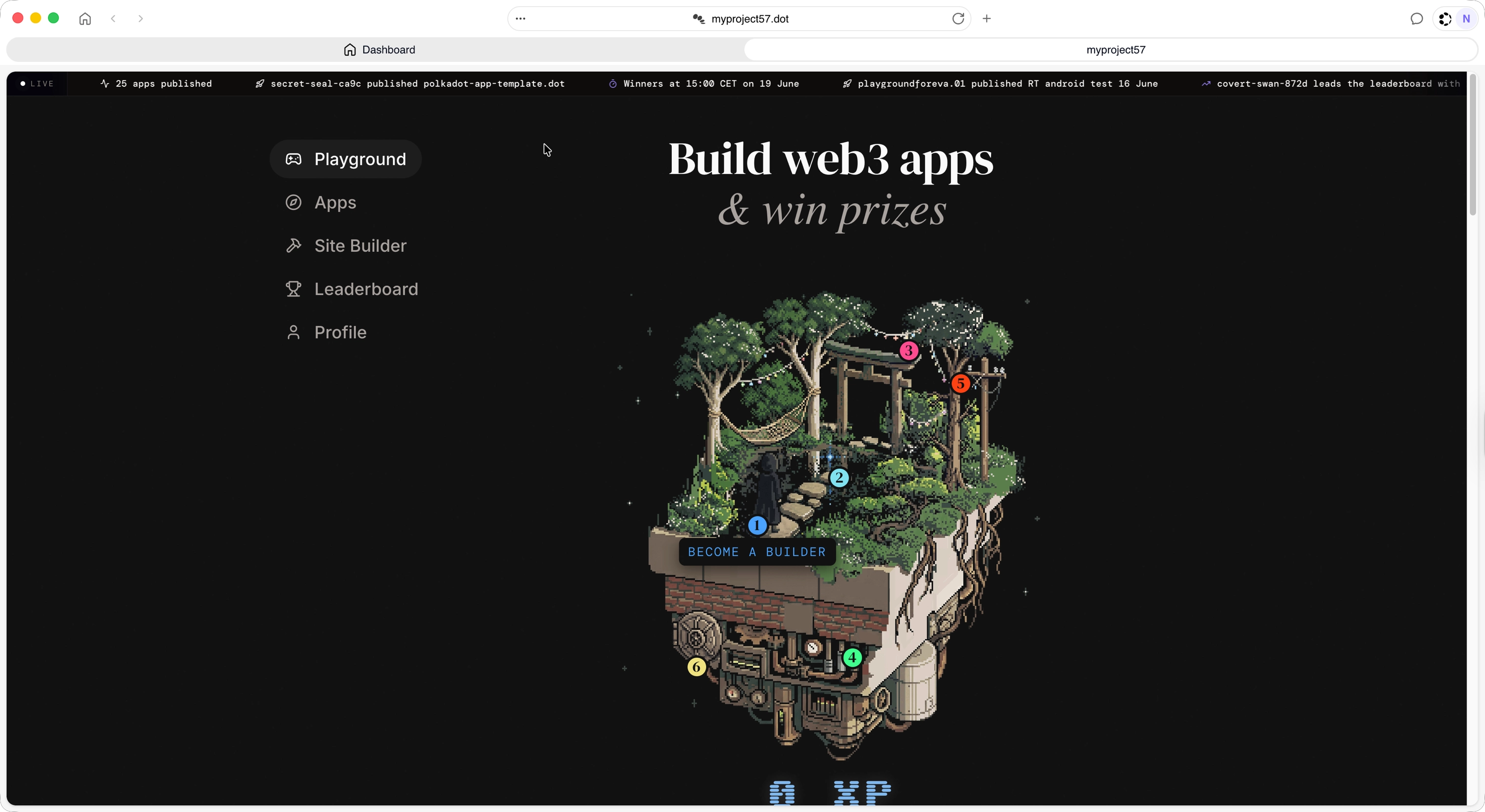
Either way, the app loads directly from the Bulletin Chain — no central server involved.
If you chose **yes** at the `publish to the playground?` prompt, your app is also listed in the public playground directory. Open `playground.dot` in Polkadot Desktop browser and your app appears under your name, so others can find and open it. If you chose **no** (`dotNS only`, as in this example), the app is still fully deployed and reachable at the URLs above, only unlisted in the directory.
!!! tip
If your app does not appear immediately, wait a few seconds and refresh. On-chain state propagation can take a short time after the deploy transaction finalizes, and the web gateway resolves your name through an in-browser light client. A `curl` or script against the gateway URL returns a generic gateway shell rather than your app — open it in a real browser. If it still does not resolve, see [Troubleshooting](/apps/troubleshooting/#the-app-does-not-appear-right-after-deploy).
## Keep Your App Available
Data published to the Bulletin Chain, including your app bundle, is retained for about two weeks by default and must be renewed to persist beyond that. The exact retention window is still being finalized, so treat "about two weeks" as provisional. Renewal is a separate transaction that keeps the data available for another retention window without changing its CID.
Renewal identifies each stored record by its content hash, which you can derive from the record's CID. Your app bundle is stored as several chunks, each in its own transaction, plus a manifest that lists them, so keeping the bundle available means renewing the manifest and every chunk.
!!! warning "The CLI deploy does not renew your bundle"
`playground deploy` does not renew the data it uploads. The `app cid` it prints is the bundle's manifest, and its links are the chunk CIDs, so you can renew the whole bundle from that one CID without uploading it again. The [renewal example in Store Data on Chain](/apps/build/store-data-on-chain/#renew-long-lived-data) reads the manifest and renews the manifest and every chunk. See the [Bulletin Chain renewal reference](/reference/apps/infrastructure/bulletin-chain/renewal/) for the mechanics.
## If a Deploy Fails
Deploy-time issues have named fixes in [Troubleshooting](/apps/troubleshooting/):
- [The deploy pauses for about a minute](/apps/troubleshooting/#the-deploy-pauses-for-about-a-minute): the tooling waiting out the dotNS commit-reveal handshake, not a hang.
- [The name is already registered](/apps/troubleshooting/#the-name-is-already-registered) or is [too short to buy](/apps/troubleshooting/#short-names-are-not-for-sale): choose a different or longer name.
- [`no allowance set for account`](/apps/troubleshooting/#no-allowance-set-for-account) or [uploads are rejected](/apps/troubleshooting/#uploads-are-rejected-or-host-storage-unavailable): the signing account is missing PAS or a storage authorization.
- [The app does not appear right after deploy](/apps/troubleshooting/#the-app-does-not-appear-right-after-deploy): on-chain propagation and gateway resolution take a moment.
## Where to Go Next
- Guide **Register a `.dot` Domain**
---
The naming step in depth: availability rules, the commit-reveal flow, and managing your name.
[:octicons-arrow-right-24: Register a `.dot` Domain](/apps/register-dot-domain/)
- Guide **List Your App**
---
Make your Product discoverable in the Playground and Browse directories.
[:octicons-arrow-right-24: List Your App](/apps/list-your-app/)
- Guide **Store Data on Chain**
---
The store receipt, chunking, authorization, and renewal in full.
[:octicons-arrow-right-24: Store Data on Chain](/apps/build/store-data-on-chain/)